The best tools for creating AI influencers in 2027 handle different jobs. Some help design a character; others preserve its appearance, put it in motion or give it a voice. Someone still has to turn all those pieces into something people want to watch. We have selected six options, with official examples and criteria for choosing by project: an account with personality, a presenter who explains, or a series of scenes for a brand.
Start with the format you want to produce. A photograph introducing the character, a video showing a small action and an explanation delivered to camera have different requirements. Buy platforms before defining that format and you can end up with plenty of open dashboards and very little clarity about finishing the first piece.
This comparison was prepared in October 2026 for planning 2027. It draws on documented features and demonstrations published by suppliers. Our task-based selection and suggested trials are original editorial analysis. We do not present demonstrations as Lead the Mood campaigns or attribute sales results to tools. Models, plans and terms can change, so we link to the relevant documentation.
To study characters and formats, start with our AI influencer selection for 2027. To build the complete workflow, continue with how to create an AI influencer. Here, we will work out which tool makes sense for each production task.
A quick comparison of AI influencer tools
| Tool | Task we would investigate | Suggested trial | What to review |
|---|---|---|---|
| Higgsfield | Build a character and put it in motion | One identity and three simple actions | Continuity, action control and credit consumption |
| Runway | Create scenes from references | One character in three environments | Face, proportions and relationships with objects |
| Midjourney | Explore appearance and art direction | One identity in three compositions | Model compatibility and recognisable details |
| ElevenLabs | Design a voice and produce narration | Introduction, explanation and reaction | Pronunciation, pauses and personality |
| HeyGen | Produce an avatar presenting a script | A short explanation in the required languages | Delivery, synchronisation and message accuracy |
| CapCut | Edit and prepare the post | A vertical edit with voice and captions | Readability, pacing and export options |
The trial column describes an evaluation method we suggest for your project. It lets you compare your own results using the same brief. Before trying it, prepare the character, text and references accepted by each tool. You can then judge whether the workflow suits the content you need and how much effort an approved piece requires.
01 Higgsfield for building a character and giving it movement

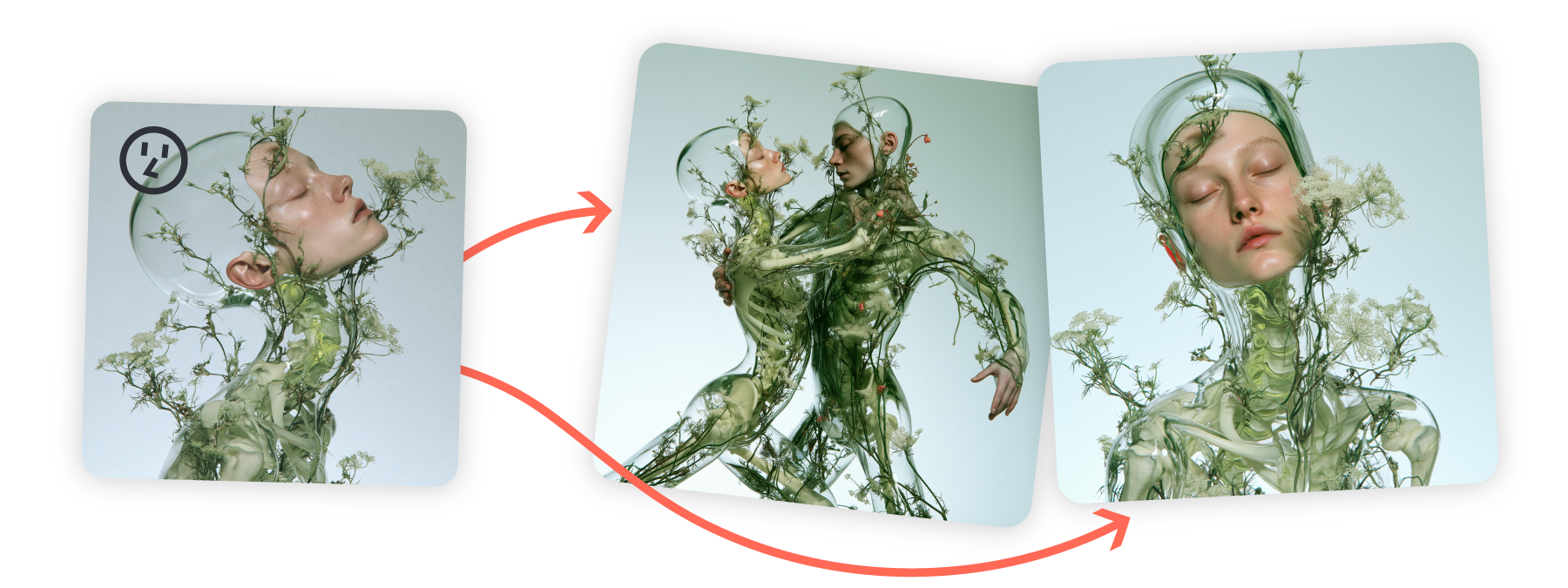
Higgsfield brings together a character studio and a movement workflow associated with Genjutsu. That combination deserves a look when content needs a recurring figure acting in different situations. Creative direction might call for a stylised person, a more everyday appearance or an openly exaggerated character.
When we would investigate it. For a brand developing a small series with a recognisable protagonist. Before expanding the calendar, we would prepare an easily reviewed action: entering a scene, reacting to an object or repeating a signature gesture. The trial should let us check identity and whether the action makes sense within the script.
What to review. How the character holds together when the shot changes, how much control we have over movement and how many versions are needed for a usable take. Any movement reference must be material we can use in the project. Save character decisions alongside the script and approved results, too.
The editorial decisions remain ours: what the character notices, what it jokes about, which product it introduces and how it responds to a situation. We can generate plenty of scene variations, but first there needs to be an idea worth varying. Personality connects the tool to an account with something of its own to publish.
02 Runway for working with references and scenes


Runway documents references for generating images with consistent characters, objects and settings. An account with its own visual identity can use this kind of feature to organise production around approved material. The reference supplies continuity; later scenes need review just like any other piece.
When we would investigate it. When we want to show a character in different contexts and control the relationship between subject, environment and art direction. A trial could preserve its appearance while changing the location: a workbench, an entrance and an outdoor scene. These situations help reveal whether the result still represents the same person.
What to review. Face and accessories, as well as scale and interaction with objects. Signature glasses should remain recognisable. If the character presents a product, important product details need to hold together. An attractive image may still need corrections before it serves a brand.
Reference organisation deserves particular attention. The team should know which image is the approved foundation and which results are exploratory. That distinction makes reviews easier and prevents everyone continuing from a different character version. The production archive is part of content quality.
03 Midjourney for exploring a visual identity
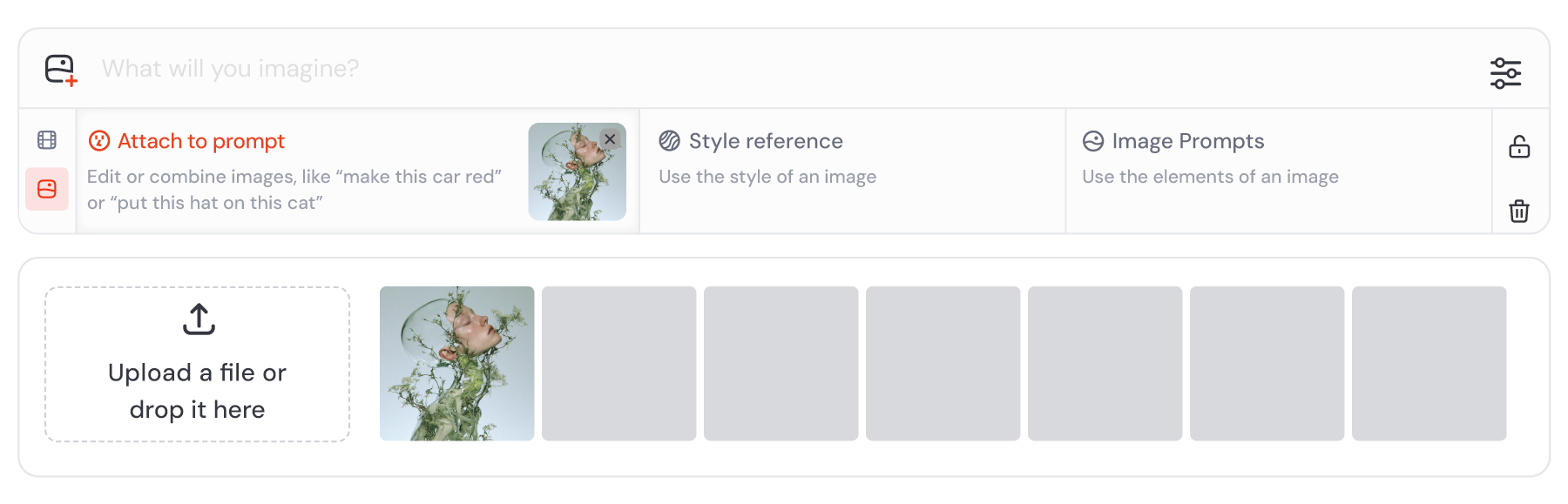
Midjourney deserves consideration when the initial task is exploring appearance, composition and style. Its current documentation distinguishes reference methods by version: Omni Reference is for V7, while the Edit Model is documented for V8.1 and V8.2. Compatibility matters when following a tutorial.
When we would investigate it. During art direction, to compare character proposals and find a visual language that fits the brand. We might explore photographic, illustrated and more stylised versions before choosing which to develop. Selection should consider whether each approach can support several kinds of content.
What to review. Recognisable character traits, how references are interpreted and the behaviour of the model actually being used. A guide for an earlier version may describe options that do not apply to the current workflow. Record the version and keep approved references with the art-direction proposal.
We would also separate exploration from delivery. Exploration seeks alternatives. Then we choose a foundation and stop changing everything at once. That transition helps a project finish its chosen identity and first repertoire, rather than endlessly producing new characters.
04 ElevenLabs for a recognisable voice
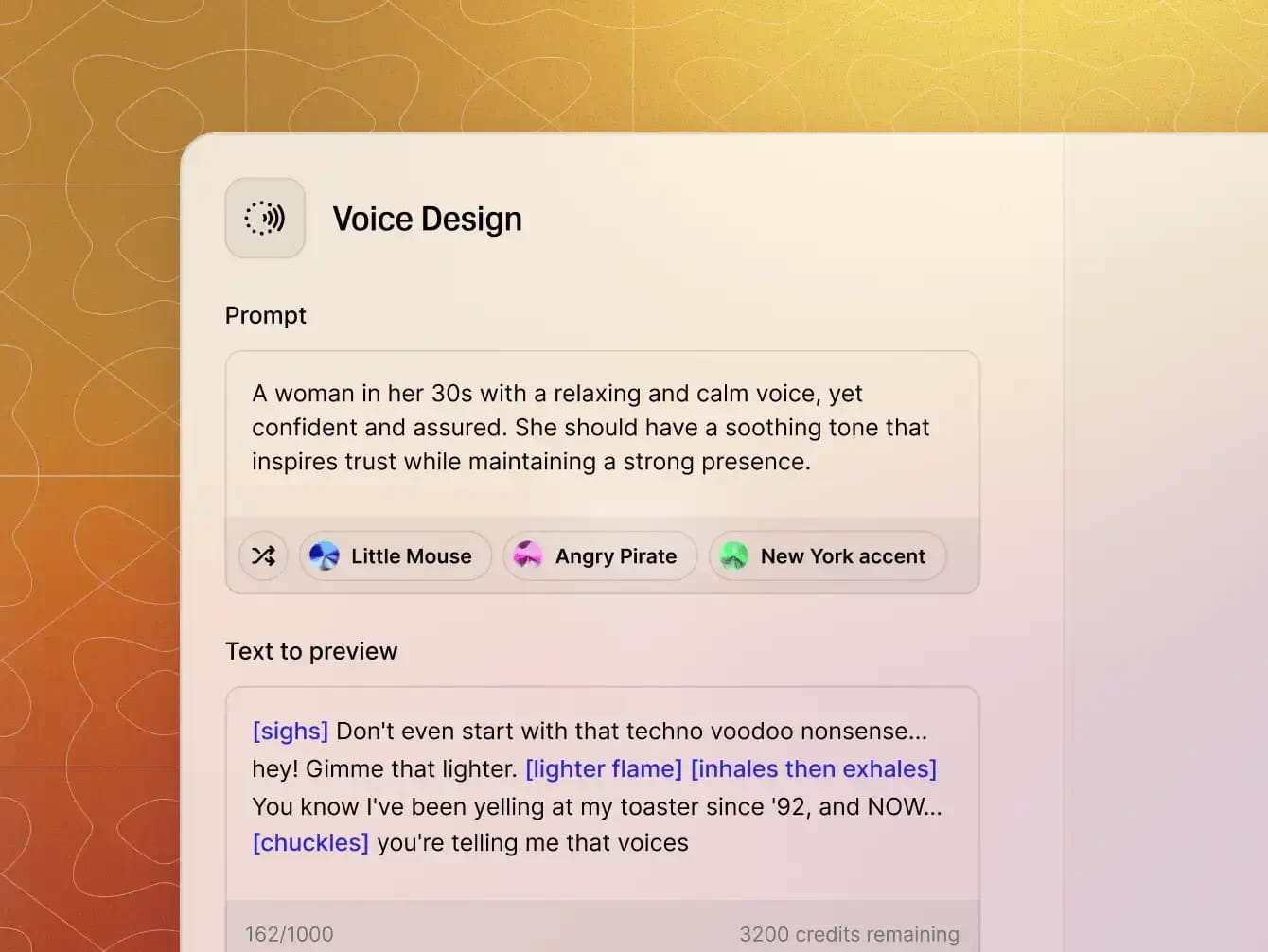
ElevenLabs offers voice generation and synthetic voice design. For a character, voice can become an identity cue as clear as clothing. What matters is delivery: speed, pauses, expressiveness and pronunciation. Those decisions should reflect personality and content, beyond sounding good in one sample.
When we would investigate it. When the account will feature narration, dialogue or a recurring speaking character. We would prepare three texts with different jobs and listen for a consistent identity across them. A welcome, an explanation and a reaction reveal nuances that a single demonstration text might leave out.
What to review. Product-name pronunciation, pauses, consistent tone and the result in each required language. The Text to Speech documentation helps check workflow options. A real voice must be authorised for the project’s scope if one is used.
Translation is a writing decision, too. A character can have the same personality in Spanish, Catalan and English while using different expressions to convey it. Reviewing the script before generating voice helps preserve that natural delivery. The piece should feel written for the person listening to it.
05 HeyGen when the character needs to present a script


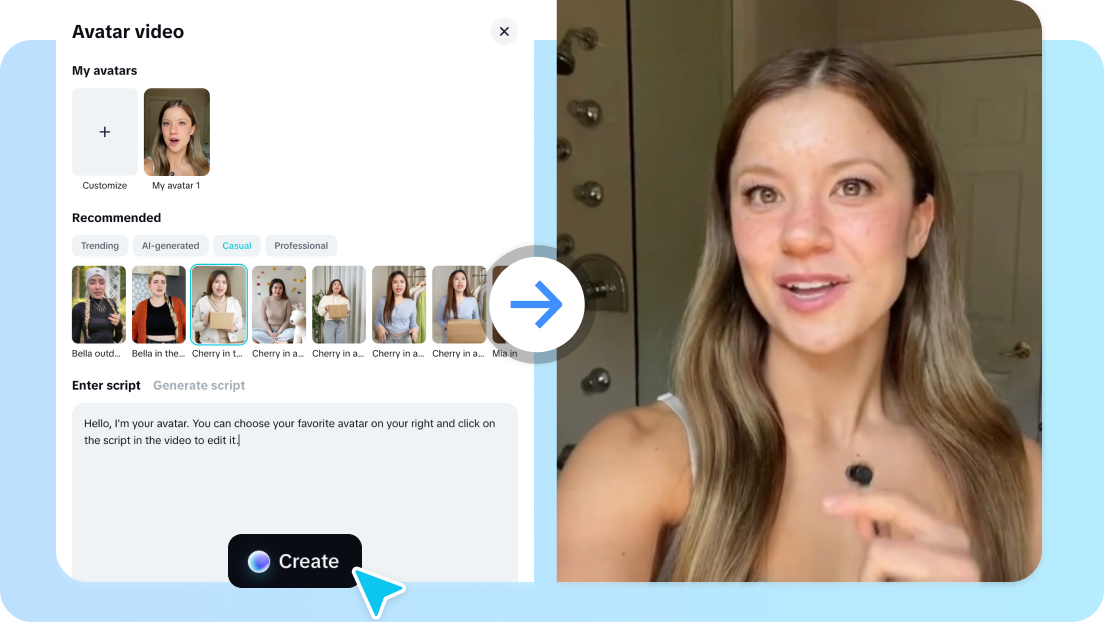
HeyGen presents a workflow for videos with avatars speaking from a script. That job differs from constructing comedy scenes or a complete visual world. It may be relevant when a figure needs to explain something consistently, with a clear relationship between text, voice and presentation.
When we would investigate it. For a series of product explanations, a welcome or a short introduction. Within a character account, it could cover particular formats while other pieces use images, scenes or real brand content. The balance should reflect what each piece needs to communicate.
What to review. Whether script delivery suits the identity, whether sentences are understandable and whether expressions match the message. We would check other required language versions and the work of adapting text as well. The trial aims to finish a piece the business can assess using clear criteria.
A project focused mainly on virtual presenters for advertising, sales or business communication deserves a comparison specialised in that production type. Here, HeyGen represents script presentation within an AI influencer account. That specific role helps avoid treating every avatar feature as though it covered all the needs of a character.
06 CapCut for shaping the finished post
CapCut offers editing resources and AI-assisted production features. For our workflow, we would investigate the stage where images, video, voice and text become a finished piece. The specific tool may vary; controlling pace, readability and finish remains part of any project.
When we would investigate it. To prepare a vertical post, add captions, adjust the relationship between speech and shots, and review the ending. A first trial can use already approved character material. That lets us assess editing without mixing in another round of appearance decisions.
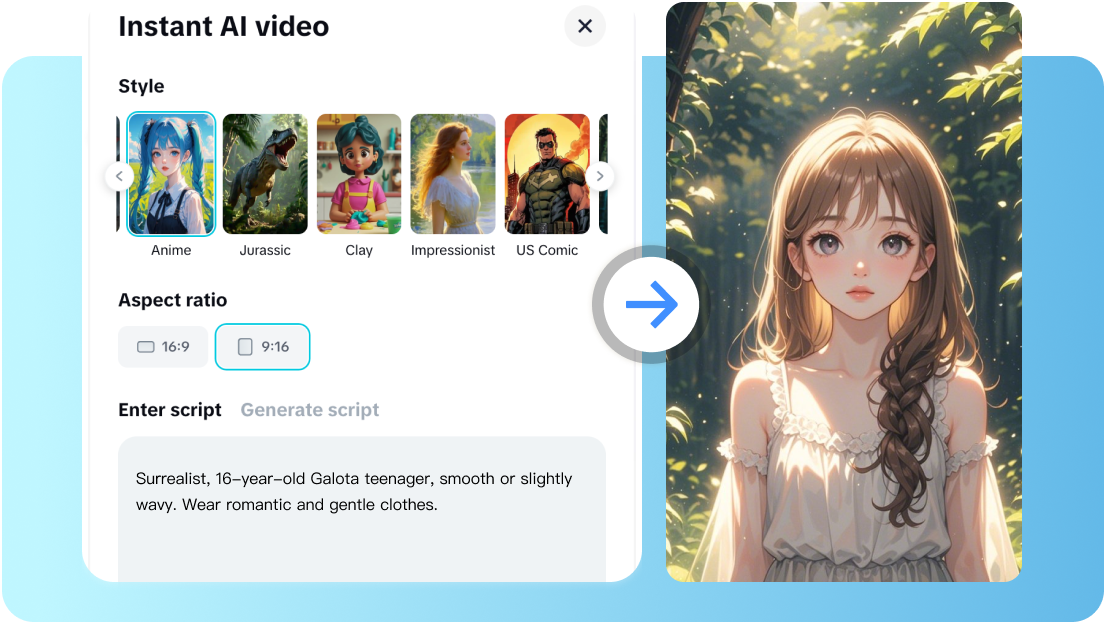
What to review. Text on a phone, speech volume and clarity, placement of important elements and available export options. The official page notes that some features depend on region. When organising production, confirm what is available in the team’s account and environment.
Editing can improve a scene through a pause, reaction or real product detail. It may also reveal that the script needs simplifying. We would therefore keep spoken text, editing decisions and the final version together as parts of one brief. The next episode can build on that work rather than reconstructing it.
How to choose the right workflow for your brand
Define the main format and required control first. If the character will appear in photographs, visual identity and references carry considerable weight. If it speaks to camera, review script, voice and presentation. If it acts in situations, movement and continuity between shots become decisive. Then add the editing needed for publication.
Identity and references, images for each episode, continuity review.
Adapted script, voice, presentation to camera and editing.
References, scenes, movement, interaction and an edit.
Production routes proposed by Lead the Mood. They represent tasks, rather than suppliers’ commercial packages.
An initial setup can handle one clearly defined format. Add another once the team understands it. That progression reveals which stage requires more review and which materials are reusable. It also ties the budget to a specific production, with a manageable number of pieces and versions.
What to measure when trialling tools
Use the same brief and record comparable results. For images, review the character in several settings. For video, choose a simple action. For voice, use the same texts. Keep discarded results too, with the reason for rejection: identity, movement, pronunciation, product or message.
| Production information | Why record it? |
|---|---|
| Generations made and pieces approved | Understand how much material a usable delivery needs |
| Preparation and review time | Compare the team’s actual effort |
| Necessary corrections | Identify tasks needing another method or more control |
| Credits, licences and materials | Budget for the format’s complete resources |
| Versions and languages | Calculate adaptation and coordination work |
Then decide whether the workflow can sustain the calendar. A spectacular piece that requires rebuilding everything may suit an occasional campaign but be difficult for a recurring account. Consider the team, volume and finish each format needs.
AI influencer pricing and production budgets
Check the supplier’s current plan and consumption for the model or feature actually being used. Add preparation, scripting, references, review, editing and publication. Entry promotions and a single generation do not necessarily represent the cost of maintaining a character over several months.
A useful comparison is the cost per approved piece. Record resources and time during the trial, then divide them by the deliveries that satisfy the brief. Separate initial character-definition work from recurring episode work, too. That distinction explains why the first batch and subsequent ones may have different cost structures.
Where several people are involved, include coordination and approval criteria. For several languages, include script adaptation and review for each version. The resulting budget will reflect the content being produced and the responsibilities of the people creating it.
Questions about AI influencer tools for 2027
What is the best tool for creating an AI influencer?
It depends on the main task. This selection covers characters, references, art direction, voice, presentation and editing. Define the first format and prepare a trial with comparable materials. The best choice for your project lets you finish pieces with the control and resources you need.
Can I do everything in one platform?
Some platforms combine several functions, but check your format’s complete workflow: accepted references, identity continuity, corrections and exports. You can also combine tools if the team can organise files and reviews clearly.
Are there free tools for getting started?
Some suppliers offer introductory options, trials or free features, and terms can change. Review what can be generated, exported and used in your project before choosing. Include preparation time and the work of finishing a piece when comparing costs.
Which tool can keep the same character?
Look for reference or identity features compatible with your chosen model. Check several scenes and review defining traits. Documentation explains available resources; your specific pieces need their own review.
Can a brand use these tools in several languages?
A project can incorporate other voices and language versions depending on available functions. Personality and scripts need human adaptation alongside visual and pronunciation checks. Organise references, approved texts and final versions to maintain a coherent identity.
Put the selection into practice with our guide to creating an AI influencer in 2027. For character inspiration, explore our AI influencer examples and social media trends for 2027.
At Lead the Mood, we work on branding and social media content to connect character, message and calendar. Choosing tools is part of that production process.
An editorial comparison prepared by Lead the Mood in October 2026 for planning 2027. Features were checked against the linked official documentation; visual demonstrations belong to the credited suppliers. Suggested routes and trials are original editorial criteria. We do not attribute demonstration results to Lead the Mood or present commercial performance tests we have not carried out.
For a presenter that explains products or supports campaigns, continue to our guide to AI avatars for marketing in 2027. It connects use cases, video production and advertising so you can choose by the work your brand needs.